MET
/

Digital business card • QR • NFC • Apple Wallet

Never forget who you met.

MET turns every meeting into a lasting connection. Share your card by QR, NFC, Wallet, or link — recipients do not need an app.

One‑tap save to contacts
Always up‑to‑date
Privacy‑first sharing
John Smith
John Smith
Product Designer
john@getmet.app
+84 123 456 789
Ho Chi Minh City
MET QR Code
Save to contacts

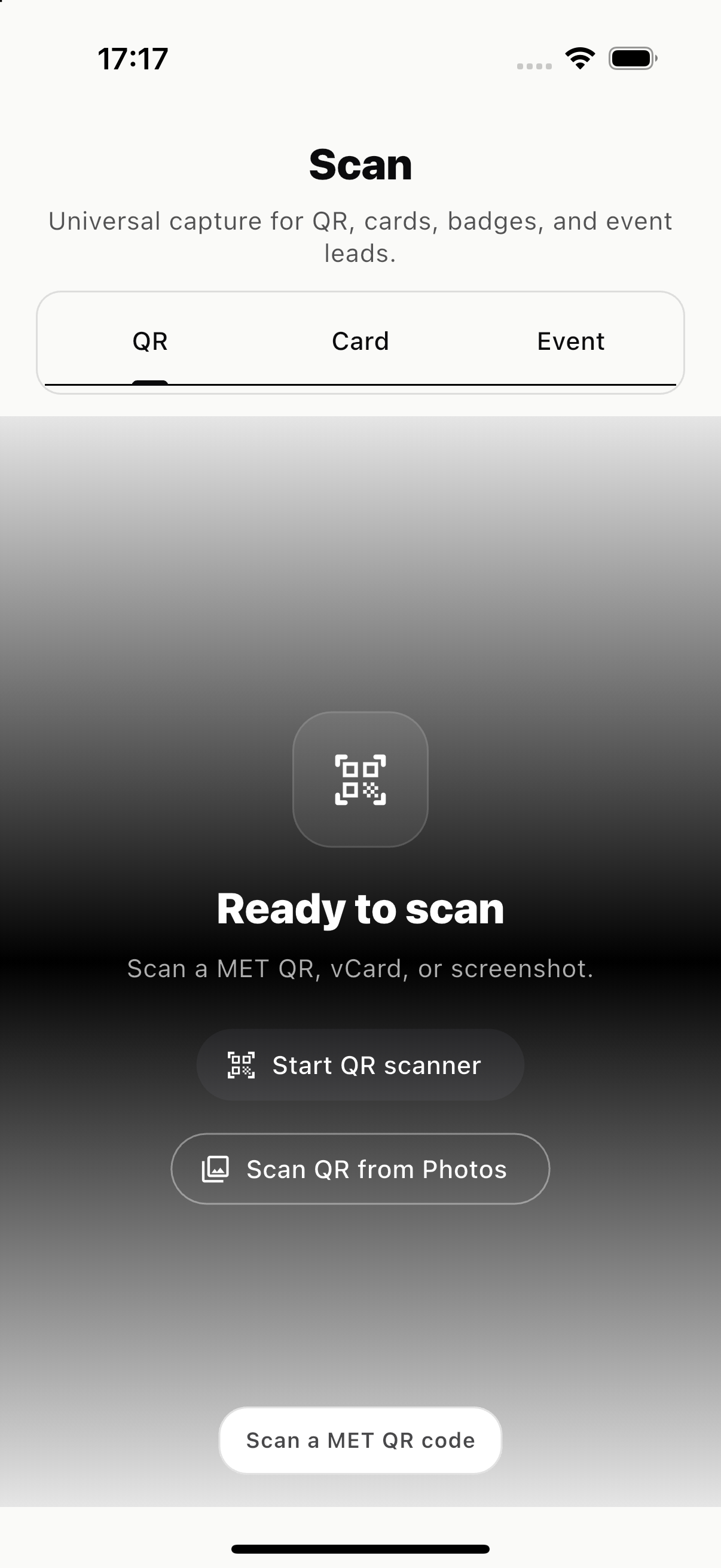
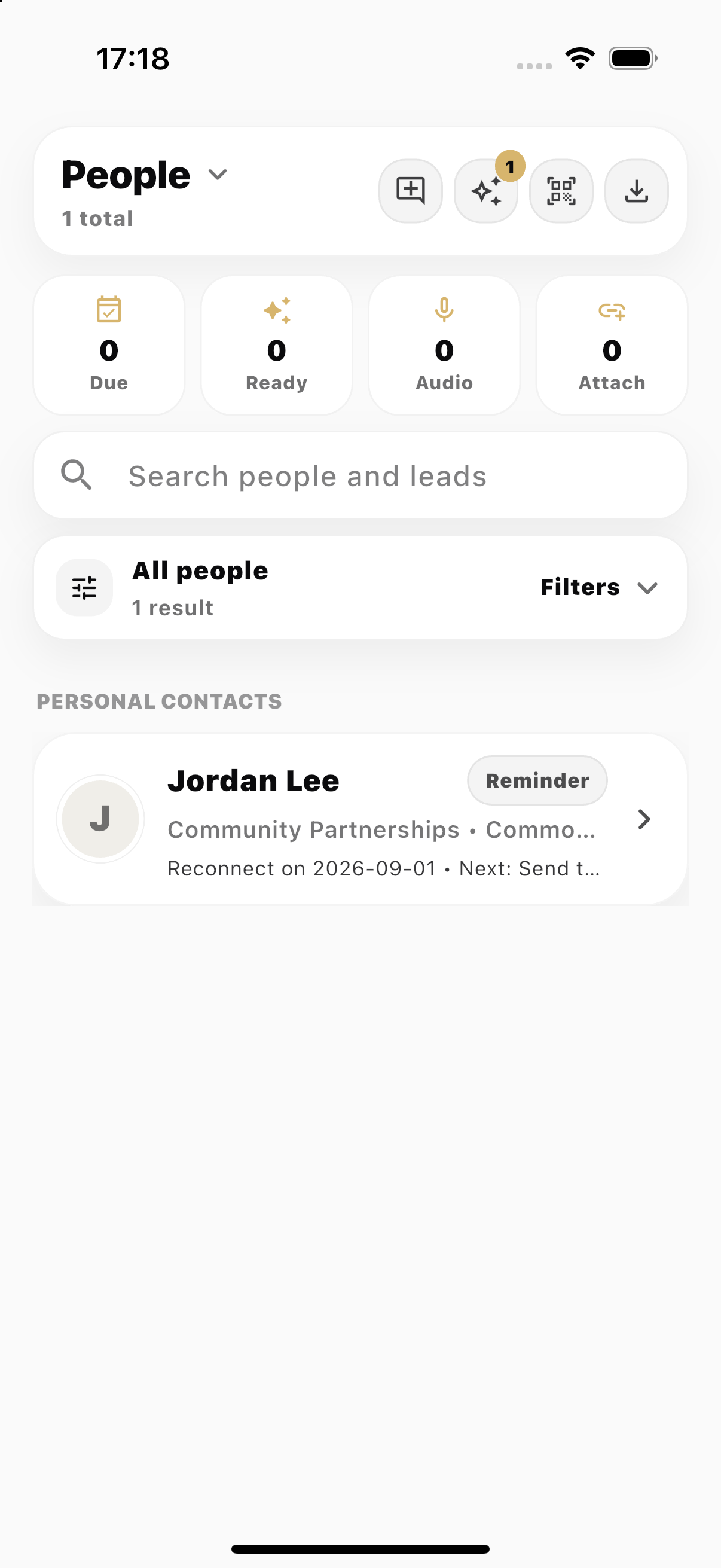
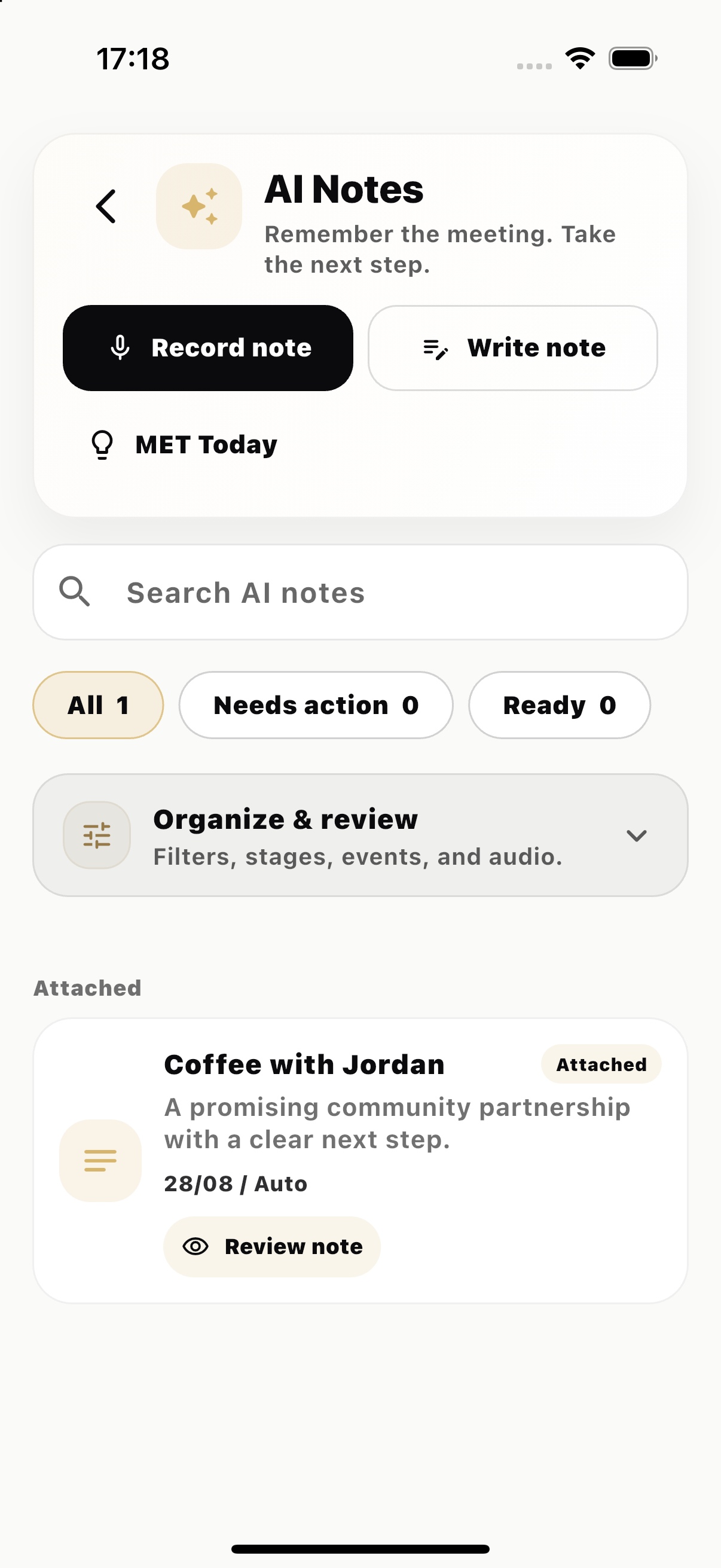
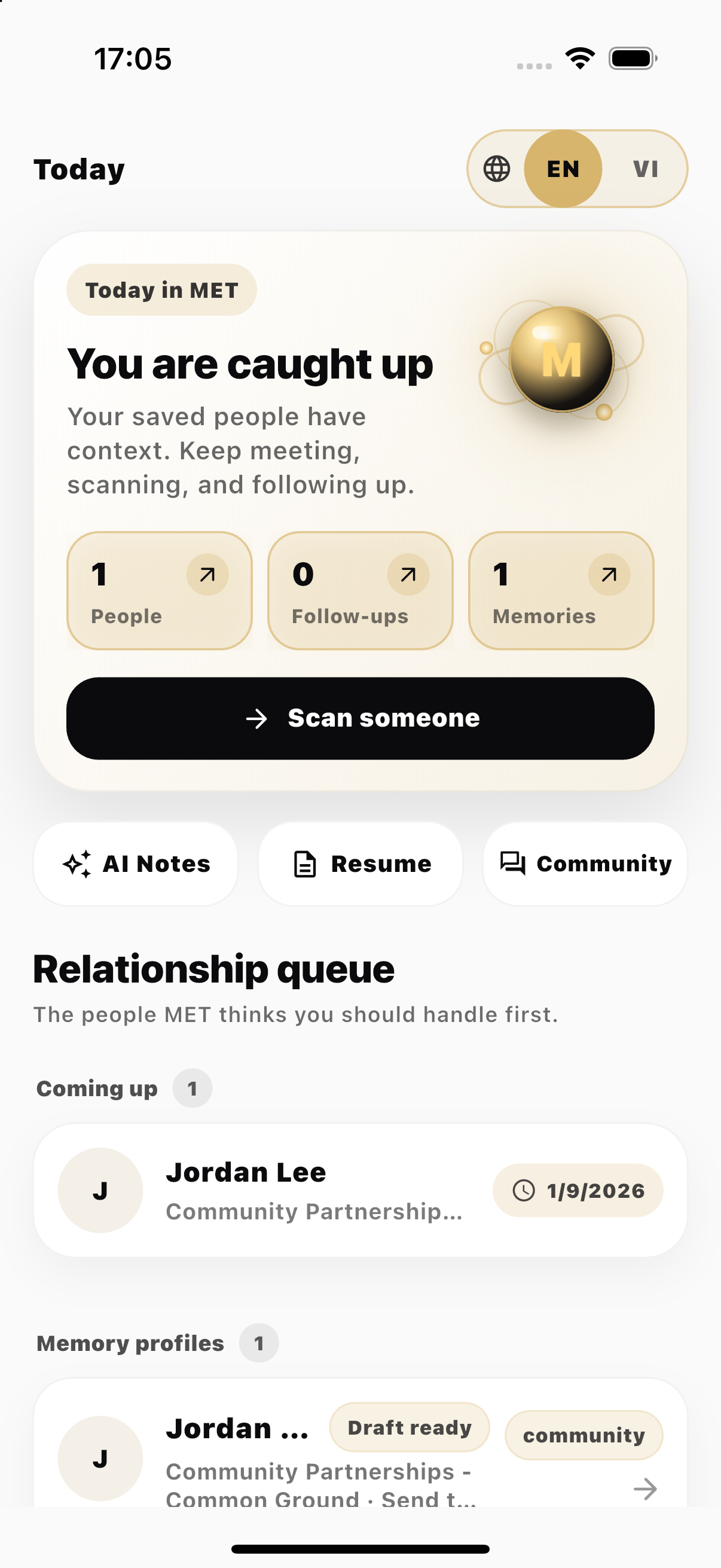
Product preview

Your card, always ready.

A premium identity experience across QR, Wallet, NFC, and App Clip.

MET screen 1 MET screen 2 MET screen 3 MET screen 4 MET screen 5 MET screen 6
Tip: swipe left/right

How it works

Tap. Share. Remember.

Meet someone, share once, and keep the connection organized.

01

Create your card

Add your name, role, company, and links. Upload a logo and photo.

02

Share by QR, link, or Wallet

Show your QR code, send a link, use NFC, or open Apple Wallet.

03

They save in one tap

Recipients open a mobile page and save your contact instantly — no app required.

Features

Built for real networking.

Everything you need to look professional and follow up with context.

Apple Wallet supported

Keep your digital card ready — even when you’re in a hurry.

NFC ready

Use a physical card, tag, or ring to share with one tap.

Scan QR to connect

Share your profile fast at events, meetings, and cafés.

Keep connections organized

Add notes and tags so you remember the context later.

Share only what you want

Control which fields appear on your public card and links.

Always up‑to‑date

Update your details once, and your shared profile stays current.

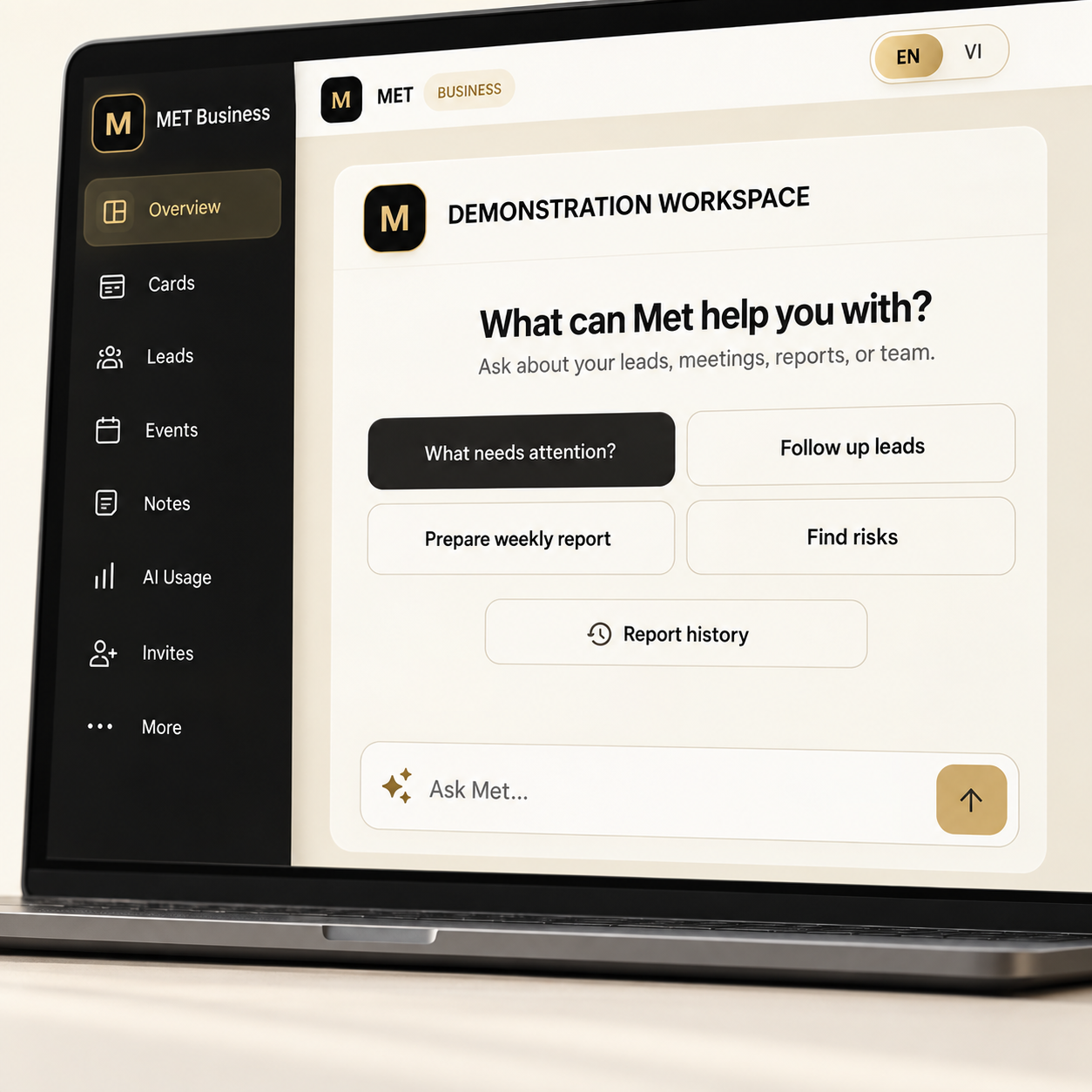
Met Business

A smarter business card system for teams.

Give every staff member a company-branded card with NFC, Apple Wallet, lead capture, analytics, and AI owner insights — all managed from one clean dashboard.

Owner pulse Met found 3 things to check

2 new leads need follow-up. One NFC card is active but not converting.

128Card views
24Leads
17NFC scans

MET Team

Business Profile

Save contact Wallet

Why it matters

Most business cards stop working after the meeting.

Met helps your team turn every meeting into a saved contact, captured lead, and smarter follow-up.

01

Team cards

Keep company logo, brand, and contact standards consistent while allowing staff to update allowed personal details.

02

Business NFC

Factory-written NFC links can be assigned and reassigned from the dashboard without rewriting the physical product.

03

Apple Wallet

Staff can add their business card to Wallet and show it instantly when meeting customers.

04

Lead capture

Customers can leave their details directly from a staff card or company profile.

05

Owner analytics

See views, leads, NFC scans, Wallet actions, save-contact activity, and conversion signals.

AI

AI Command Center

Met highlights what needs attention: overdue leads, inactive cards, hot NFC leads, and weekly performance signals.

How it works

Set up once. Let your team use it every day.

Create your company workspace, invite staff, assign NFC cards, and let Met show what is happening across your team.

1

Add your company profile, logo, color, and contact details.

2

Invite staff and create company-branded cards.

3

Assign NFC and Wallet cards for daily sharing.

4

Collect leads and let AI show what needs follow-up.

Built for teams that meet people

Useful for sales, real estate, education, clinics, services, and events.

Sales teams Real estate agents Education consultants Clinics & services Events & exhibitions Founders & agencies

Met Business

Give your team a card system that keeps working after the first meeting.

Trust

Security & privacy

Designed so your data stays yours — you decide what to share.

Your data is yours

We don’t sell your personal information. We use it only to provide and improve the service.

Secure by default

We use industry‑standard safeguards like encryption in transit, access controls, and monitoring.

Transparent policies

Read our: Privacy Policy & Terms of Use.

FAQ

Questions, answered.

Quick answers to common questions.

Do recipients need the MET app?

No. Your link or QR opens a mobile‑friendly page in their browser so they can save your details.

How do I share my card?

Use a QR code, NFC, share a link, or add it to Apple Wallet where supported.

What happens if I change my info later?

Your public profile stays updated. People who open your link later will see your latest details.

Is my data secure?

We apply common security best practices and limit access to your data. See our Privacy Policy for details.

Start now

Ready to go paperless?

Create your digital card and start sharing today.